![xcelerate-black-color-1.png]](https://www.xlrestorationsoftware.com/hs-fs/hubfs/xcelerate-black-color-1.png?height=40&name=xcelerate-black-color-1.png)
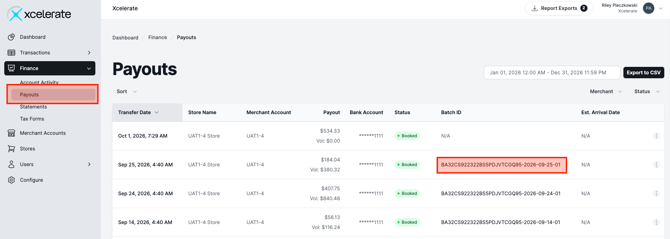
- After logging into the merchant portal, navigate to Finance -> Payouts. Click the batch ID for the payout you want to view.
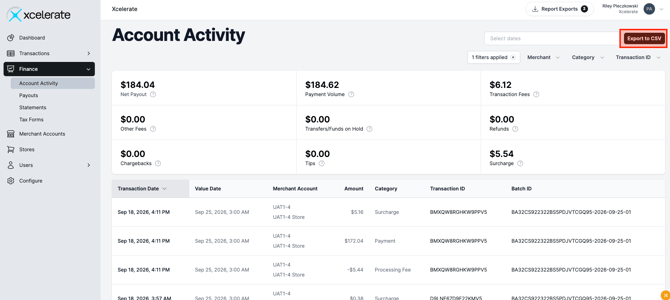
- Clicking the batch ID will take you to the account activity page and display basic information for transactions, fees, surcharges, etc. that were in the batch. You can see more details by click the Export to CSV button and downloading the report.
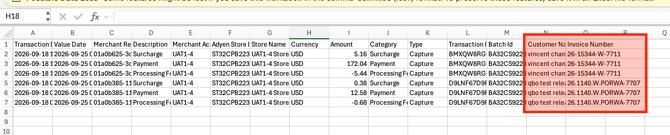
- The downloaded report will display two additional pieces of information - the customer name and invoice number sent from Xcelerate.